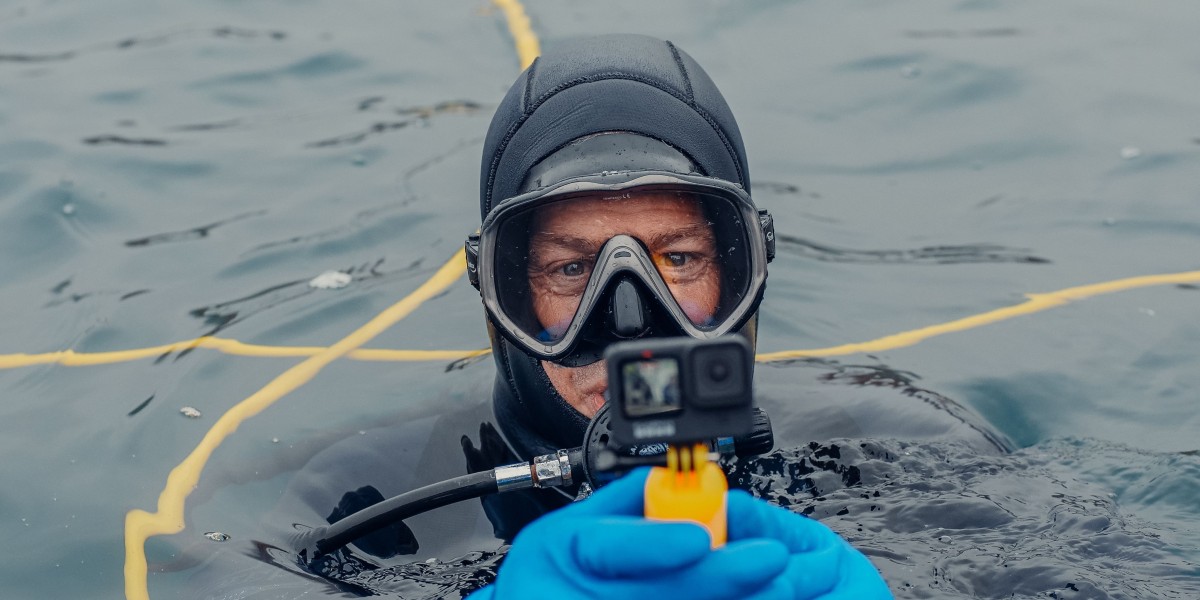

You've invested in scuba certification and dream of capturing vibrant coral reefs, curious sea turtles, and dramatic shipwrecks. But choosing the right GoPro for scuba diving feels overwhelming with multiple models, confusing depth ratings, and endless accessories competing for your budget.
Here's what makes underwater filming genuinely different from any other action sport. Color bleeds out as you descend, pressure becomes a real equipment concern, and a saltwater flood can turn an expensive camera into an expensive paperweight. If you're diving without corrected vision, you'll want a mask that lets you actually read your settings and see the subjects you're filming — check out these dive masks before you head out. Most GoPro marketing focuses on surfing and snorkeling, leaving serious scuba divers without depth-specific guidance on the settings and gear that actually matter.
This guide compares the current GoPro lineup through a diver's eyes, walks you through essential GoPro underwater settings with real values you can use, and shares depth-specific techniques for everything from shallow tropical reefs to moody deep wrecks.
Best GoPro Models for Scuba Diving: 2026 Comparison
GoPro HERO13 Black: Best for Serious Divers
The HERO13 Black is the clear recommendation for divers who get in the water regularly and want footage they're proud to share.
Its 5.3K60 video with 10-bit color and HLG HDR gives you significantly more data for post-production color recovery, which becomes critical at 40 to 60 feet. Bare waterproofing sits at 33ft (10m), but paired with the GoPro Protective Housing, it's rated to 196ft (60m), covering all recreational and most technical diving.
HyperSmooth 5.0 stabilization handles drift diving surge and wreck penetration movement better than any previous GoPro generation. Combined with Horizon Lock, your footage stays level even when rolling with current.
Best for: Drift diving, low-light wrecks, pelagic encounters, and liveaboard trips.
GoPro HERO11 and HERO12 Black: Value Options
Both models share the same 5.3K video and 27MP sensor as the HERO13, meaning the quality gap is narrower than the price gap suggests. The HERO11 offers the best value for divers completing four or more trips annually, with the same housing compatibility and HyperSmooth 4.0. The HERO12 adds improved battery life and Bluetooth audio support, making it a solid middle ground.
Both use the same accessory ecosystem as the HERO13, so housings and filters are fully compatible.
Best for: Budget-conscious divers making regular trips who want 5K+ quality without the HERO13 premium.
LIT HERO: Budget Option for Casual Divers
GoPro's most affordable model shoots 4K video but is waterproof to only 16ft (5m) without a dedicated housing. That puts it firmly in snorkeling territory. If scuba diving is your primary use case, the jump to the HERO11 is worth the investment.
Best for: Snorkelers, casual divers on one to two annual trips, or a lightweight topside companion.
Feature | HERO13 Black | HERO12 Black | HERO11 Black | LIT HERO |
Max Video | 5.3K60 | 5.3K60 | 5.3K60 | 4K |
Bare Waterproofing | 33ft (10m) | 33ft (10m) | 33ft (10m) | 16ft (5m) |
With Housing | 196ft (60m) | 196ft (60m) | 196ft (60m) | Limited |
10-Bit Color | Yes | Yes | Yes | No |
Stabilization | HyperSmooth 5.0 | HyperSmooth 6.0 | HyperSmooth 4.0 | HyperSmooth |
Essential Underwater Settings for GoPro Scuba Diving
Resolution, Frame Rate, and Field of View
Start with 4K or 5.3K at 60fps for slow-motion flexibility and future-proofing. Match your field of view to the subject:
● Wide FOV: Default for general reef diving
● SuperView: Reef walls and dramatic wide-angle sequences
● Linear: Marine life close-ups without fisheye distortion
Enable 10-bit color before every dive if your model supports it.
White Balance and ISO: The Settings Most Divers Get Wrong
Auto white balance is your enemy underwater. As depth increases, red and orange wavelengths absorb first, leaving footage with an uncorrectable blue-green cast. Use manual white balance based on planned depth:
● 0 to 30ft: 4500K to 5000K
● 30 to 60ft: 5500K to 6000K
● 60ft and deeper: 6000K to 6500K
For ISO, balance noise against exposure:
● Shallow sunny dives: ISO 200 to 800
● Mid-depth or overcast: ISO 400 to 1600
● Deep or low visibility: ISO 800 to 3200
Use video lights at deeper depths rather than pushing ISO excessively.
Custom Presets: Your Dive Day Secret Weapon
Since the touchscreen doesn't function inside the protective housing, custom presets let you switch settings between dives using only physical buttons. Build these before your trip:
Shallow Reef: 5.3K60, Wide FOV, 10-bit, WB 4700K, ISO 100 to 800
Deep Dive: 4K60, Wide FOV, 10-bit, WB 6200K, ISO 400 to 1600
Low Visibility: 4K30, Wide FOV, 10-bit, WB 6500K, ISO 400 to 3200
Night/Macro: 4K60, Linear FOV, 10-bit, WB 5500K, ISO 800 to 3200
Test these in a pool before your trip. One afternoon of testing saves an entire dive trip of disappointing footage.
Must-Have GoPro Accessories for Scuba Diving
Essential Accessories
GoPro Protective Housing is non-negotiable beyond 33ft. Always inspect the o-ring before each dive. One hair or grain of sand can flood the housing.
Anti-fog inserts prevent condensation from forming on the interior lens surface. Place a fresh insert against the lens before sealing and replace every five to ten dives.
The Handler (Floating Hand Grip) keeps the camera from sinking if dropped and provides a stable shooting platform in current.
Red or magenta filters are essential from 15 to 75ft. Red filters counteract blue cast in clear tropical water. Magenta filters address green cast in temperate or murky water. For rechargeable dive lights that work alongside your GoPro setup, See the Sea Rx carries quality options built specifically for dive use.
Dual Battery Charger plus Enduro batteries complete the essentials. Enduro batteries retain charge significantly better than standard batteries in cold water.
A complete basic setup runs $150 to $250 on top of the camera.
Upgrade Accessories
Tray and handle system adds stability and creates symmetrical mounting points for video lights, eliminating harsh shadows.
Underwater video lights become essential past 60ft. Look for 1000 to 2000 lumens for general wide-angle work. See the Sea Rx's dive lights collection covers a range suited for video.
Macro lens attachment transforms your GoPro for small critter work, filling the frame with subjects the size of a thumbnail.
Dive Day Checklist
Before sealing your housing: inspect the o-ring, confirm the anti-fog insert is positioned correctly, check the locking mechanism, and verify settings match your planned depth. After every saltwater dive, rinse in fresh water before opening.
Depth-Specific Shooting Techniques
Shallow Water (0 to 30ft)
Use your Shallow Reef preset with white balance around 4700K to 5000K and a red filter in tropical water. Shoot parallel to the reef rather than pointing toward the surface to avoid blown-out exposure. Safety stops at 15ft are an excellent opportunity for the most vibrant footage of the dive.
Recreational Depths (30 to 100ft)
Red is largely gone by 30ft. Orange fades between 30 and 60ft. Your red filter stays useful to about 60 to 75ft, and beyond that, video lights are the correct solution. Pre-set your camera for the deepest planned depth of the dive. Shoot within two to three feet of your subject whenever possible. Water acts as both diffuser and colour filter, so closer framing retains dramatically more colour and detail.
Troubleshooting Common GoPro Diving Problems
Fogging: Place a fresh anti-fog insert against the lens before sealing. Let the camera temperature-equalise in the shade before closing the housing rather than sealing it straight from air conditioning.
Battery life: Expect 70 to 80 minutes at 5.3K60 in warm water. Cold water reduces runtime by 20 to 30%. On liveaboard trips with multiple dives daily, rotate two batteries with a dual charger between dives.
Blue or green footage: In GoPro Quik, warm up Temperature and shift Tint toward magenta. For serious colour work, apply an underwater LUT in a dedicated editor. Free options are widely available from underwater photography communities.
Conclusion: Getting It Right Before You Hit the Water
Choosing the right GoPro for scuba diving comes down to matching camera capabilities to your actual diving frequency. The HERO13 Black delivers maximum quality for serious divers. The HERO11 and HERO12 offer excellent image quality at a lower price for regular divers. The LIT HERO serves casual snorkelers and occasional divers who prioritise portability.
Camera selection is only the foundation. Divers who consistently produce stunning footage show up with correctly configured presets, properly maintained housing, and the right filter for their planned depth. Start by identifying your typical diving depths, select the matching model, then invest in the core trio: protective housing, floating grip, and the correct filter for your water type. For any additional diving accessories to complete your underwater kit, See the Sea Rx has you covered.
Your future self, reviewing crisp colour-accurate footage from your next dive, will be very glad you did the preparation work.